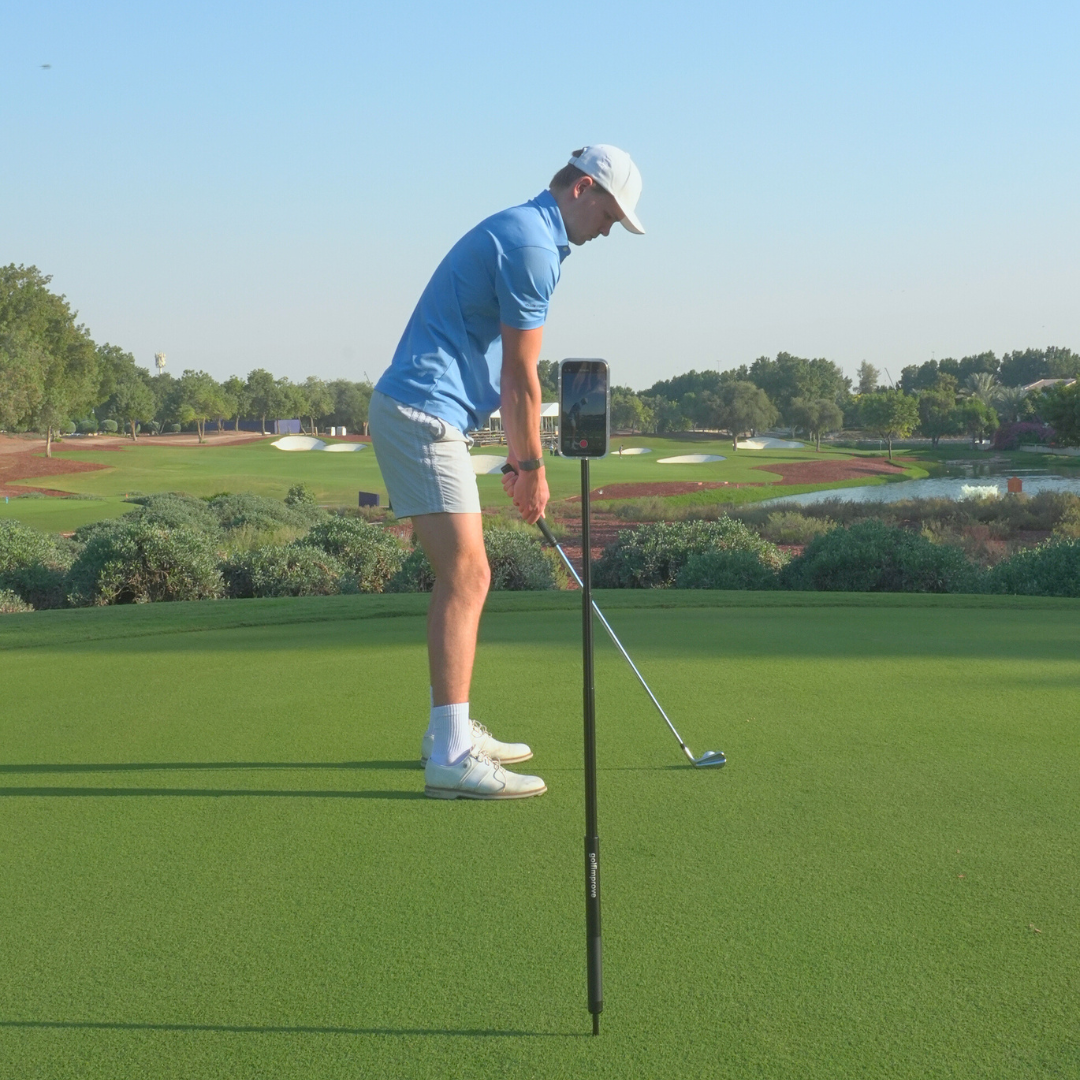
For a clear golf swing video, use your phone's slow-motion mode at the highest frame rate it offers, film with the main 1x lens, lock focus and exposure on yourself, and shoot in good, even light. Those four settings matter far more than resolution or which phone you own.
I film almost every practice session, and most of the "my video is useless" moments I've had came down to settings, not technique. A blurry club, a dark silhouette or a swing that's half out of frame tells you nothing. The good news: you can fix all of it in the camera app you already have, in about a minute.
1. Use slow motion and pick the highest frame rate
A golf swing is fast. In a normal video, the club around impact is often just a smear. Slow-motion mode records more frames per second, so when you scrub through the clip you actually see where the club is.
- iPhone: open the Camera app, swipe to Slo-Mo. In Settings > Camera > Record Slo-mo you can choose the frame rate. Pick the highest one available.
- Android: most phones have a Slow motion mode under "More" in the camera app. Some also have a "super slow motion" mode, but that often records only a very short burst, which is hard to time for a full swing. Regular slow motion is usually the better choice.
Higher frame rate beats higher resolution for swing analysis. If your phone makes you choose between 4K at normal speed and 1080p in slow motion, choose slow motion.
2. Stay on the main 1x lens
Many phones now have an ultra-wide (0.5x) lens. It's tempting because it fits everything in, but it bends straight lines near the edges of the frame. Your shaft plane, spine angle and posture can look different from reality, which defeats the point of filming.
- Use the standard 1x lens.
- Don't pinch to zoom. Digital zoom just crops the image and makes it softer.
- If you can't fit your full swing in the frame, move the phone back instead of zooming out.
3. Lock focus and exposure on yourself
Phones constantly re-adjust focus and brightness. When the club moves or a cloud passes, the camera can "hunt" mid-swing and the frame shifts in brightness or goes soft.
- iPhone: press and hold on yourself on the screen until you see "AE/AF Lock".
- Android: on most phones, tap and hold on the subject to lock focus and exposure. The exact wording differs per brand.
Do this once you're standing at address, then don't touch the screen again. If you're filming yourself, set up a practice swing first, lock, and then hit.
4. Get the light right
Slow-motion video needs more light than normal video. In dim conditions the image gets grainy and dark, and the club blurs again. A few simple rules:
- Film with the sun behind or beside the camera, not behind you. Backlight turns you into a silhouette.
- Overcast days are actually great: soft, even light with no harsh shadows.
- Indoors or under a range roof, film toward the open side where the light comes from.
- Late in the evening, accept that your slow-motion clips will be lower quality. Normal speed may look better then.
5. Frame the shot properly
Good settings don't help if the framing is off. Keep it consistent so you can compare videos over weeks and months.
- Portrait or landscape: portrait fits a standing golfer nicely and is easy to watch on your phone. Landscape gives more room if you want to see ball flight. Pick one and stick with it.
- Height: roughly hand height for down-the-line and face-on views. Very low or very high angles change how positions look.
- Space: leave room above your head and around the club at the top and finish, so nothing gets cut off.
- Same spot every time: mark where your phone stands, for example two club lengths behind the ball.
For the full explanation of where to place the camera and which angle shows what, read How to Film Your Golf Swing on Your Own.
6. Small things that save a session
- Clean the lens. A fingerprint makes everything look hazy. Wipe it on your shirt before you start.
- Turn on Do Not Disturb. A call or notification can stop the recording or cover the screen.
- Check your storage. Slow-motion clips are large. Clear old clips before a range session.
- Keep clips short. Start recording just before you take the club back, stop after the finish. Short clips are easier to review and share.
- Keep the phone still. Any movement makes it impossible to judge your head or hip movement. Use something stable, never a bag that shifts when you lean on it.
That last point is why I built the Golfimprove Stand: a ground pin so it stays put on grass, a tripod for mats and indoor bays, and a height up to 1.35 m so you can get that hand-height angle easily.
What not to worry about
You don't need a pro camera app, manual shutter settings or the newest phone. Filters, HDR tweaks and 4K are nice for social media but don't make a swing easier to analyse. Get frame rate, lens, focus lock and light right, and any recent smartphone will give you a video you can actually learn from.
Quick checklist before you hit
- ☐ Slow-motion mode on, highest frame rate
- ☐ Main 1x lens, no zoom
- ☐ Focus and exposure locked on you at address
- ☐ Light coming from behind or beside the camera
- ☐ Phone at hand height, same spot as last time
- ☐ Full swing fits in frame, with space at the top and finish
- ☐ Lens clean, Do Not Disturb on, enough storage